Apps for Learning Traffic Signs
Learning to recognize traffic signs and signals is fundamental for anyone who wants to drive safely, obtain their first driver's license, or learn the traffic rules of other countries. Currently, apps for learning traffic signs offer a practical and accessible way to study directly from your cell phone, using images, quizzes, and interactive exercises.
With the right app, it's possible to understand the meaning of regulatory, warning, and informational signs, as well as review common situations encountered on streets and highways. Some tools also offer international content, allowing you to study signs used in different parts of the world.
In this article, you will learn about three internationally-focused apps for learning traffic signs, discover their main features, and understand how to download them to begin your studies. The options presented cover different countries, although availability in app stores and specific content may vary by region.
Advantages of Applications
Ease of learning: The apps allow users to study traffic signs and signals through images, explanations, and hands-on activities. This makes learning more accessible to people with different levels of knowledge.
Flexible hours: With an app installed on your phone, you can study during short breaks throughout the day, without having to follow a fixed schedule.
Interactive exercises: Questionnaires and challenges help reinforce acquired knowledge, allowing individuals to identify which signs still need to be reviewed.
International content: Some tools feature signs used in various countries, making it easier to compare different signage systems.
Exam preparation: Practice tests can complement the studies of those preparing for theoretical driving assessments, respecting the particularities of each country.
Constant review: Even experienced drivers can use the apps to update their knowledge and recognize less frequent signs.
1. Traffic & Road Signs
The Traffic & Road Signs Quiz, by Soft Touch View, is an educational app that combines a catalog of signs with explanations and a quiz to test what you've learned.
The focus is on international signage: there are hundreds of regulatory, warning, mandatory, and informational signs in accordance with the Vienna Convention standard, the same used in much of Europe.
The goal is to present the signs in an organized way, making it easier to associate symbols, colors, shapes, and meanings. In this way, learning depends not only on reading lengthy texts, but also on observation and practice.
Main features
Traffic & Road Signs presents a collection of signs accompanied by explanations. The user can explore different signs and understand their functions before starting the exercises.
The quiz mode features multiple-choice questions with traffic scenarios (the store description mentions 30 questions) and tracks your progress. This makes it clear which signs you already know and which ones need review.
There is also a section with driving tips: speed limits, safe distance from the car in front, how to drive in rain and fog, pedestrian priority, and what to do in an emergency.
The app doesn't require registration and is lightweight, which is helpful on phones with limited storage space.
Why use this app?
Traffic & Road Signs can be a good choice for people who like to learn through quick challenges. Instead of studying only from written materials, the user participates in activities that require recognizing the meaning of the signs.
This methodology can contribute to visual memorization, especially when the exercises are performed regularly. Repeating the signs in different situations helps to strengthen the recognition of the symbols.
It is also an alternative for travelers interested in learning about the signage of other countries before driving abroad.
How do I download it?
To download, go to the Google Play Store and search for Traffic & Road Signs Quiz, developed by Soft Touch View. Check the description, available languages, and compatibility with your device.
After installation, explore the sign categories and start with the simplest exercises. As you become more familiar with the signs, move on to the available quizzes and challenges.
It's free, displays ads, and has no in-app purchases, according to its Google Play listing.
2. Roadwiser: Road Signs & Rules
Roadwiser: Road Signs & Rules is an app developed to help students and drivers understand traffic signs and right-of-way rules. Its approach combines visual exercises, practical situations, and explanations that facilitate understanding of traffic regulations.
The app has an international approach, with specific content for dozens of countries, including Germany, France, Spain, Italy, the United States, Australia, and other regions.
One important feature is the ability to select the desired country and study the corresponding signs. This feature is especially useful because certain rules and signs may vary according to local legislation.
Main features
Roadwiser offers sign recognition exercises, allowing users to identify signs through their shapes, colors, and symbols. Each activity helps the user relate the visual appearance of a sign to its meaning.
Another highlight is the challenges regarding right-of-way. In these exercises, the student needs to analyze intersection situations and determine which vehicle should pass first.
These activities contribute to understanding the practical application of traffic rules, going beyond the simple memorization of symbols.
The app also provides explanations after the answers, helping the user understand their mistakes and reinforce their learning.
Among the available resources are point systems, achievements, performance tracking, and progressive challenges. These features encourage continued learning and allow students to observe their progress over time.
Another benefit is its offline functionality. After installing the app and making the necessary content available, it's possible to exercise without depending on a constant internet connection.
Why use this app?
Roadwiser can be interesting for those who want to understand not only the meaning of road signs, but also how they influence decisions made while driving a vehicle.
Exercises on intersections and priority help develop the reasoning skills needed to interpret traffic situations. This can complement the theoretical learning done in driving schools and educational materials.
For people planning to drive in another country, the selection of regional content is also an advantage. It's possible to learn certain rules before the trip and identify differences compared to regular traffic.
However, the app should be used as a supplementary tool. Official rules for the country or region should always be consulted when in doubt.
How do I download it?
Roadwiser: Road Signs & Rules is available for download on the Google Play Store for compatible devices. Simply search for the app name, verify its information, and begin the installation.
After installing, select the country you wish to study and explore the signage exercises. Then, use the priority challenges to deepen your knowledge.
The app is free to access, but may include ads or optional features depending on the version available.
3. Traffic Signs: Examination
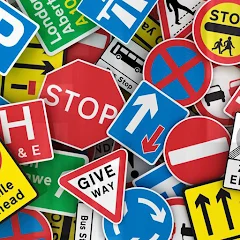
Of the three, this one is the most relevant to the Detran (Brazilian traffic department) theoretical exam. The Traffic Signs: Exam, by NigmaTech, was created for those getting their driver's license in Brazil or Portugal and functions as a pocket manual: each sign comes with an image and explanation.
The Portuguese origin appears in the vocabulary, with "passadeira" instead of "faixa de pedeles" (pedestrian crossing) and "rotunda" instead of "rotatório" (roundabout). Since there are differences between the signs in the two countries, check each one against the Contran manual before the test.
Main features
The library is organized by category, which helps with memorization in blocks: danger signs (curves, speed bumps, roadworks, animals on the road), prohibition signs (speed, overtaking, parking), right-of-way signs, mandatory signs, and information signs.
The app is lightweight, opens quickly, and is available in Portuguese, English, Spanish, French, German, Arabic, and Russian.
Why use this app?
For those in driving school, it covers the signage section in the language of the test. Studying one category per day, in short sessions, already organizes the material.
The focus is on signage. Legislation, defensive driving, and first aid, which are also included in the test, are covered by the material indicated by the Department of Motor Vehicles (Detran) of your state.
How do I download it?
On Google Play, search for Traffic Signs: Exam, by NigmaTech. It's free, displays ads, and has no in-app purchases, according to the store listing.
After installing, start with the category you are least familiar with and work your way back to it until you have all the boards correctly.
How to Choose the Best App to Learn Traffic Signs?
Choosing an app to study traffic signs depends primarily on each person's goal. Some tools are more focused on memorizing signs, while others offer exercises on traffic rules and practical situations.
For beginners, apps with clear images and simple explanations can make initial contact with the content easier. Those with basic knowledge, however, may prefer more challenging quizzes and simulations.
Another important aspect is international coverage. Even when an app features content from various countries, this doesn't mean that all regions are available or that all local rules are respected.
Therefore, before downloading, it is recommended to check if the tool provides information about the country where you intend to drive.
It's also worth noting the available languages. Some apps offer explanations in different languages, while others focus their materials on specific languages.
Ease of navigation is another important factor. An organized interface allows you to quickly locate categories of charts, exercises, and review materials, making studying more productive.
Finally, consider the presence of ads, optional purchases, and offline features. These details can influence the user experience, especially for those who intend to study while traveling or in locations with limited connectivity.
Tips for Learning Traffic Signs Faster
Learning traffic signs requires attention, practice, and frequent review. While apps make it easier to access the information, some strategies can make the process even more efficient.
Study the signs by category.
A good way to start is to divide the signs into groups. Initially, study the regulatory signs, which indicate obligations, prohibitions, and restrictions.
Next, move on to the warning signs, used to alert you to potential hazards or conditions that require attention.
Finally, explore the road signs, which provide information about destinations, services, and road features.
Practice daily
Dedicate approximately 10 to 15 minutes a day to studying to help create a consistent routine. Short, frequent sessions make it easier to review the material without requiring large periods of time.
The important thing is to maintain regularity and review the topics that present the most difficulty.
Use questionnaires and simulations.
After studying a particular group of signs, use the exercises available in the app to check your knowledge.
Try to answer the questions before consulting the explanations. If you get it wrong, review the content and try to understand the reason for the correct answer.
This practice helps strengthen memory and reduces dependence on simple repetitive reading.
Pay attention to the signs in everyday life.
Another strategy is to relate learning to real-life situations. While traveling, observe the signs on the streets and try to identify their meanings.
This activity should be carried out safely, preferably as a passenger. Never use your cell phone to study while driving.
Consult the official rules.
Although apps are educational tools, traffic laws can vary between countries and are subject to updates.
For this reason, always consult the official manuals and materials for the region where you intend to drive a vehicle, especially when preparing for driving tests. In Brazil, the reference is the Brazilian Traffic Code and the Brazilian Traffic Signalling Manual, from Contran; the Detran (Department of Motor Vehicles) of your state will inform you of the content of the theoretical exam.
Is it possible to learn traffic signs using only a cell phone?
Apps can significantly aid in learning traffic signs, especially when they offer visual explanations and interactive exercises. However, learning solely through a mobile phone does not necessarily replace comprehensive training in traffic laws and safety.
Recognizing road signs is an important part of the knowledge needed to drive. Understanding right-of-way rules, speed limits, behavior at intersections, and preventative driving habits is also fundamental.
For students preparing to obtain their first driver's license, the ideal approach is to combine the use of apps with official materials and guidelines required by local authorities.
Already licensed drivers can use these tools to review their knowledge, learn signs from other countries, and maintain frequent contact with educational content.
Continuous learning contributes to more informed decisions and a better understanding of the responsibilities of those who use public roads.
Conclusion
Apps for learning traffic signs represent a practical alternative for those who wish to recognize signs, understand traffic rules, and expand their knowledge of road safety.
The Traffic & Road Signs Quiz brings together international road signs with quizzes and driving tips. Roadwiser combines sign recognition with practical priority situations, while Traffic Signs: Exam organizes signs by category for those preparing for the DMV theory test.
All three options have features that can be useful for students and drivers in different countries. However, download availability and content coverage vary depending on the region, device, and updates made by the developers.
Before choosing an app, check the languages, the countries covered, and the features offered. With a consistent study routine and the support of official materials, these tools can contribute to more organized learning and a broader understanding of traffic signs.