5 best apps for making photo collages on your cell phone
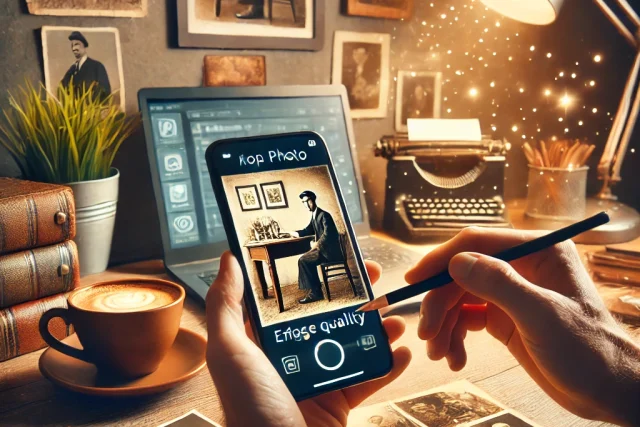
Collage remains one of the most practical ways to tell a story in a single image: several photos from a trip, the before and after of a renovation, a summary of a birthday. And you don't need to know anything about design to create one — collage apps offer ready-made grids where you just drag and drop the photos.
What changes from one app to another is the finish: the variety of layouts, the quality of the text and stickers, the export resolution, and, most importantly, how much you can do without paying. We've gathered five options that are available in official app stores, work on Android and iPhone, and allow you to create complete collages for free.
Advantages of using photo collage apps
The main advantage is the ready-made grid. Instead of positioning each photo manually, you choose a layout with the number of spaces you need, and the app takes care of the alignment, spacing, and cropping of each image. Adjusting the framing within each frame is a matter of dragging with your finger.
The second advantage is the finishing package that comes with it: rounded borders, background color, text with various fonts, stickers, and filters applied to the entire collage. And almost all of them export in the correct format for each network — square for the feed, vertical for stories — and allow you to publish directly from the app.
PhotoGrid and Layout from Instagram: what has changed?
Two entries that appear in older lists need correction, and they end up in different places. The Layout from Instagram, Meta's standalone collage app has indeed been discontinued: its listing is no longer available on the Brazilian Google Play Store, and there's no official version of Meta on the Brazilian App Store. It's gone.
Already PhotoGrid It's still alive, and here it's worth clearing up a common misconception: only the old app package is gone, and its page on Google Play returns an error. The current app is published under a different listing, as... PhotoGrid: Video Collage Maker, with over 10 million downloads, a 4.9 rating on the Brazilian store, and warnings about ads and in-app purchases. There is also an active PhotoGrid app on the Brazilian App Store, published as PhotoGrid: Edit Photos and Videos and updated in July 2026. If you use it and like it, there's no reason to change.
In the case of Layout, and any discontinued application, the rule is always the same: if you find the installation file on a third-party website, do not install it. Besides the lack of support and bug fixes, installing programs outside of official app stores is the most common way for malware to get infected on mobile phones. The five options below easily cover everything that Layout did.
5 best apps for making photo collages
All of the following apps are available in the official app stores for Android and iPhone, have a Portuguese interface, and allow you to create and save collages for free.
1. Canva
Listed as Canva: photo and video editor, This is the most versatile option on the list. In addition to traditional collage grids, it offers thousands of editable templates where the collage already comes with a background, text, and combined graphic elements—useful when the collage is for an invitation, a post, or a memory board.
The free account gives you access to a large portion of the templates, fonts, and elements; items marked with a crown belong to Canva Pro. There are no ads or watermarks on the free designs, and your work is saved to the cloud, allowing you to start on your phone and finish on your computer.
2. PicCollage
O PicCollage: Photo Editor He's the ultimate collage expert. He offers both organized grids and a free mode, where photos are loose on the screen and you can rotate, resize, and overlap each one as if they were paper cutouts—something that general editors don't do as well.
The library of stickers, frames, and backgrounds is the largest on the list, with seasonal collections. The free version displays ads and reserves some stickers and templates for subscription, but basic layouts and export without watermarks are available.
3. Picsart
O Picsart AI Photo Editor — that's the name on the Brazilian Google Play Store; on the Brazilian App Store it appears as Picsart: AI Photo Editor — It's the choice for those who want to go beyond the grid. It has ready-made collages and a free mode, but its distinguishing feature is the editor behind it: cutting out people and objects with a touch, background removal, retouching tools, and a huge library of effects that can be applied within each frame of the collage.
This allows for more elaborate collages, such as a cut-out person appearing over another background. The free version has ads and features marked as Gold; collage layouts and essential editing tools remain available without a subscription.
4. Google Photos
O Google Photos It's often forgotten in these lists, but it's already installed on most Android phones and creates collages natively. In the creation tab, you select two to nine photos, tap "Collage," and choose from the available styles—that's it, without installing anything.
It's the simplest option and the only one completely free of ads, watermarks, and paid items in the collage. However, it's also the most limited: few layouts, no stickers, and no fine control over borders and spacing. For a quick collage of weekend photos, it works in seconds.
5. Fotor
The name changes depending on the store: in the Brazilian Google Play Store it is listed as AI Photo Editor - Fotor and, in the Brazilian App Store, as Fotor AI Photo Editor, both from Everimaging. Their collage tool works with three modes: classic grid, magazine-style collage, and vertical strip format, good for before-and-after sequences. The layouts allow you to precisely adjust spacing, rounding of edges, and background color.
Once assembled, the collage can be filtered and adjusted for light and color within the editor itself, giving uniformity to photos taken in different situations. The free version has ads and Pro features marked, but exports in good resolution without a watermark.
Tips for a collage that turns out well.
Three details make almost all the difference. The first is the number of photos: collages with more than six or seven images become illegible on a cell phone because each frame turns into a thumbnail. The second is uniformity—applying the same filter to the entire collage disguises differences in lighting between the photos and gives the appearance of a unified whole.
The third is the export resolution. Several apps save in medium quality by default; look for the quality or size option before exporting and choose the highest available, especially if the collage will be printed. And check the format: a square collage posted to stories will appear with stripes on the sides.
Conclusion
For the quickest collage possible, Google Photos does the job without installing anything. For a variety of layouts and stickers, PicCollage is the most complete. Canva is best when the collage is part of a larger artwork, Picsart when you want to cut out and overlay images, and Fotor when finishing and color adjustment matter.
All of these can be installed for free from Google Play or the App Store, so it's worth trying two and sticking with the one you find most comfortable. Do you have another collage app that you use and recommend? Write to contato@noticiatecnologia.com.