Apps to track cell phones: how to locate your device
Losing your cell phone, or having it stolen in the street, is one of those things that gives you a real chill. And almost everyone's first reaction is the same: to look for an app to... track cell phone. The good news is that this exists, it's free, and it comes pre-installed on your device. The bad news is that the internet is full of apps that promise something else entirely—to track your cell phone. of the others — and this second category is, at the same time, a scam and a crime.
In this guide, we separate the two things. You'll see which apps actually locate the data. your own device, How to prepare them before you need them, how transparent parental controls work for those with underage children, and why installing a "spy app" on someone else's cell phone can lead to criminal charges in Brazil. Finally, we also teach you how to check if the... your Your cell phone is being monitored without your knowledge.
What a tracking app really does (and what it doesn't do)
Every legitimate tracking app works the same way: it's installed on the device, linked to an account (your Google account or your Apple ID), and when you request it through the website or another phone, it sends the current GPS location. In other words, the tracking originates from within the device itself, with the authorization of the account owner.
That's why there are limits that no app can overcome, no matter what the advertising says. No app can locate a cell phone using only the phone number. No app shows the location of a device that is turned off, has no battery, or has no connection—at most, it shows the last recorded location before it was turned off. And no app installed on... your cell phone can see the cell phone from another person without anything having been installed or configured on her device.
Remember these three sentences. They are the quickest filter for identifying misleading advertising on this subject.
3 apps to locate your own device
These are the tools that are worth having configured. They are all official, they all show the location on the map, and they all allow you to remotely lock or erase the device.

O Google Locator Google's official Android phone tool—the same service that for years was called Find My Device and now appears under a new name on the Play Store—is Google's official tool for Android phones and the first place you should look. It locates the device on a map, makes the phone ring at maximum volume even on silent mode, locks the screen with a message and a contact phone number, and remotely erases all data if you decide you won't recover the device.
You don't even need to install anything on the lost phone: the service is already active on most Android devices. To use it from another device, go to... google.com/android/find Using the same Google account as the device. The Play Store app is used to check from a second Android phone.
Check now, on the cell phone you are using, if everything is turned on: open the Settings, tap the search magnifying glass and type Locator. The menu changed its name along with the app — in the latest versions of Android it's located inside... Security and privacy, ...and the exact path still varies depending on the brand. Leave the feature enabled and, in... Location, Keep GPS enabled.
Search (Apple)
On iPhone and iPad, the equivalent is called Search — the blue app with the radar icon, which comes pre-installed and doesn't need to be downloaded. It shows the device on the map, plays a sound, activates Lost Mode (which locks the screen and displays a message from you), and remotely erases content.
Two settings really make a difference here. The first is Settings > [your name] > Find My > Find My iPhone, which needs to be turned on. The second option is Send Last Location, Within the same screen, with this feature enabled, the iPhone sends Apple the last known location when the battery is about to run out. This is precisely what saves the day in many cases.
From any computer you can access the same panel in icloud.com/find, with your Apple ID. It's worth remembering that the feature also covers iPads, Macs, Apple Watches, and AirPods linked to the same account.

Prey is an anti-theft app that you install on your own device and control through a web-based dashboard. It's especially useful for those who have more than one device (cell phone, tablet, and laptop, including Windows, Mac, and Linux) and want everything in one place. The free plan covers location tracking, audible alarm, and device locking; more comprehensive reports are available in the paid plans, which can be purchased on the website.
An honest observation: Prey's rating on the Play Store is 2.9, well below Google and Apple's tools. Many complaints relate to pricing and location accuracy. Consider Prey as a supplement, not a replacement for Google Finder or Google Search.
Cell phone stolen in Brazil: also use Celular Seguro BR.

Locating the device is only half the problem. The other half is preventing whoever has it from using their banking apps. Secure Cell Phone BR, The Federal Government's system resolves this part: with the registration done beforehand, you (or a trusted person you've designated) report the theft using a second device, and the system immediately alerts the carriers, banks, and blocks the IMEI number.
The app is free, has no ads, and is available on both the Play Store and the App Store. Registration requires a gov.br account. Take your time doing this today: on a busy day, nobody will be able to fill out the form.
Underage child: parental control with agreed-upon terms at the dinner table.
Tracking the location of a minor child is legitimate — as long as it's done with an official tool and, most importantly, with the child or teenager's knowledge. The apps below display a permanent notification on the monitored device precisely for this reason. An app that hides from the child is not parental control, it's espionage.

This is Google's solution for families. It links the parent's account to the child's account and allows you to see the child's device location, set screen time limits, approve Play Store downloads, and block apps based on age rating. All of this is clearly visible on the child's phone, and teenagers over 13 years old must accept the supervision.
Usage Time (Apple)
On the iPhone, the path is Settings > Screen Time, within the feature of Family Sharing. It sets limits per app, filters content, restricts purchases, and sets downtime. For location tracking, the Find My app shows the devices of family members who have agreed to share the device. Nothing is installed secretly: the child can see that there is supervision.

Life360 creates a familiar “circle” in which All participants must accept the invitation. And everyone can see everyone else's location. You can set up arrival and departure alerts for places like school or work. It's a mutual agreement, not one person monitoring another—and that's how it should be used. The free version has ads and offers in-app purchases.
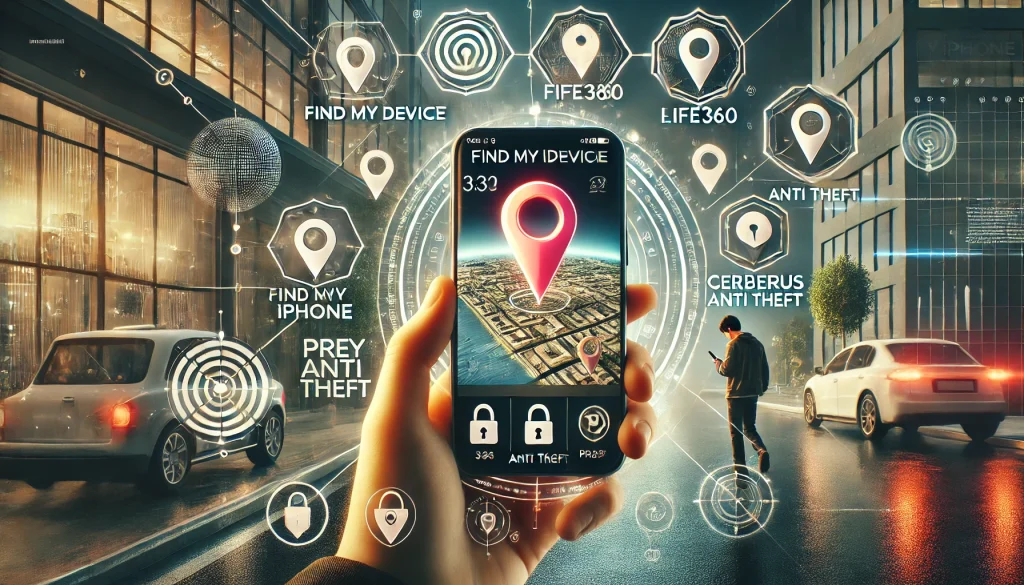
Why "spy apps" are a crime — and why they're almost always a scam too.
There's an entire market of apps that promise to read messages, listen to calls, and show the location of another person's cell phone without them knowing. These are called stalkerware. In Brazil, installing such a program on someone's device without authorization falls under the category of... Article 154-A of the Penal Code, The crime of unauthorized access to a computer system is punishable by imprisonment for 1 to 4 years and a fine. If the obtained information is disclosed, the penalty increases.
And it doesn't stop at article 154-A. Depending on the case, it also includes the illegal interception of communications (Law 9.296/96) and, in a domestic context, the Maria da Penha Law — Brazilian jurisprudence already recognizes cell phone monitoring as a form of psychological violence. It's not a bureaucratic detail: it's a criminal process.
Add to that the practical side. These apps aren't on the Play Store or the App Store because both stores prohibit this category. To install them, the website asks you to disable system protections, root or jailbreak your device, or hand over the password to the victim's Google or iCloud account. The result is usually: a recurring subscription that's difficult to cancel, a vulnerable device, and your payment information in the hands of a company operating outside the law. Several of these companies have already had their databases leaked—containing photos, messages, and locations of everyone inside.
In short: you pay to commit a crime and you also give up your privacy as a bonus.
How to know if your cell phone is being monitored.
If your concern is the opposite—suspicion that something has been installed on your device—you can check without any app. Start by looking for signs: battery draining much faster than before, phone getting hot when sitting in your pocket, unusually high mobile data usage, and apps with generic names you don't recognize.
Next, run this round on Android:
- Settings > AppsGo through the entire list, including system apps, and uninstall any that you don't recognize.
- Settings > Security > Device administration appsStalkerware almost always registers itself here so it cannot be removed.
- Settings > AccessibilityCheck if any suspicious services have permission. This is the preferred shortcut for these programs to read your screen.
- Privacy panel (Android 12 or newer): shows which apps used the camera, microphone, and location in the last 24 hours.
- Rotate Play Protect on the Play Store, in Profile > Play Protect > Verify.
On the iPhone, the process is different. Check it out. Settings > Privacy and Security > Location Services and see who has access; in Settings > General > VPN & Device Management, Delete any configuration profiles that you haven't installed. Also go to Settings > [your name] Check the list of devices connected to your Apple ID — an unknown device there means someone is viewing your backups. And use the Security Verification, in Settings > Privacy and Security, to revoke all active shares at once.
In either system, close the door afterward: change your Google account or Apple ID password, enable two-step verification, and log out of old sessions. If the situation involves domestic violence, seek guidance before deleting anything—the material could serve as evidence. The Women's Helpline can be reached at 180.
Before you need it: get everything ready today.
Tracking something down isn't something you do after it's gone; you have to do it beforehand. Take ten minutes and make this list:
- Turn on GPS and confirm that Google Locator (Android) or Find My (iPhone) is enabled.
- Enable sending your last known location, in case your battery runs out.
- Write down the IMEI number of the device (dial *#06# and keep the number separate from your phone).
- Register with Celular Seguro BR and refer a trusted person.
- Set a strong password on your lock screen and enable two-step verification for your Google account or Apple ID.
- Try this: access the dashboard via your computer and locate your own cell phone. That way you can learn the route at your own pace.
Conclusion
An app to track a cell phone exists, it works, and it's free — as long as the device is yours and is configured beforehand. Google Locator on Android and Find My on iPhone solve most cases; Prey serves as a backup for those with multiple devices; and Celular Seguro BR takes care of the part that no one can forget in case of theft, which is blocking accounts and IMEI.
For underage children, the right approach is transparent parental control using Family Link or Screen Time, with the child's knowledge. And any app that promises to secretly monitor another person's phone should be discarded without hesitation: besides almost always being a subscription scam, it's a crime under Article 154-A of the Penal Code. Do you have any questions about these steps? Write to us. contato@noticiatecnologia.com.