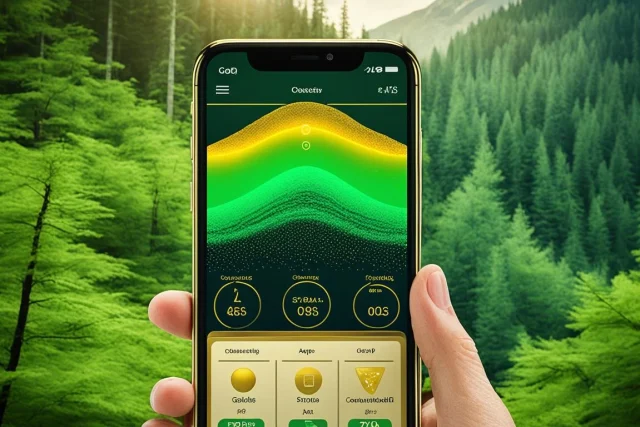
Pocket Crochet: the app that organizes your crochet projects.
Anyone who crochets knows the problem: three projects started at the same time, the printed pattern lost in a bag, the row count written on a piece of paper that has disappeared. Pocket Crochet It was made precisely for that purpose — not to teach the stitch, but to organize the work of those who already have the needle in their hand.
In this text we explain what the app does, what it doesn't do, and who it's worthwhile for. We'll state the most important information upfront to avoid confusion: Pocket Crochet There are no classes or video tutorials.. He's a project organizer, and he's very good at it.
What is Pocket Crochet?

Free to install, ad-free, and with in-app purchases. The button above leads to the Google Play listing. iPhone users should search for "Pocket Crochet" in the App Store, where the app is published under the same name.
Developed by Rick Fleuren, the Pocket Crochet It is available on the Brazilian Google Play and App Store. On Google Play Brazil, it has a rating of 3.9, approximately 1,990 reviews, and over 100,000 downloads. It does not display ads and has in-app purchases that unlock additional features.
The idea is simple: each piece you start becomes a "project" within the app, with the pattern attached, counters, reference photos, the yarn used, and your notes. When you resume work after a week, everything is there — including the exact line of the pattern where you left off.
Main features
Multiple counters per project
It's the most praised feature. You can add more than one accountant for the same projectOne counter for rows, another for repetitions of a motif, and another for sleeve decreases. Each counter is independent and can be renamed, which avoids the confusion of trying to control everything with just one number.
Marking the line where you stopped.
According to the app's description, it remembers the last viewed position in the standard layout. In practice, it works like a bookmark: you open the project and it returns exactly to where you were, without having to search for the right line in a four-page PDF.
Importing PDF and image templates
You can import the pattern as a PDF file or as an image and work on it within the application. This includes recipes you've purchased or downloaded from specialized websites — Ravelry, the world's largest library of crochet and knitting patterns, among them.
An important clarification, because there is misinformation circulating about this: the official application documentation describes the import of files, It's not an automatic connection to your Ravelry account. In other words, the way to do it is to download the PDF of the template and import it — which works well, but requires this manual step.
Personal project catalog
Each project keeps track of the important details: yarn used, needle size, progress photos, reference photos, and freehand notes. Completed projects can be archived, keeping the main list clean without erasing the history. Over time, this catalog becomes a very interesting record of your own evolution.
Clean interface, but in English.
The design is modern and straightforward, and even those with little familiarity with technology will get the hang of it after a few minutes. Regarding language, it's worth being precise: the developer states that the application supports several languages and specifically thanks the contributors who translated it into French, German, Spanish, Japanese, Icelandic, and Estonian. Portuguese does not appear on this list., So, expect the interface to be in English — the terms are few and visual, but it's good to know them before installing.
Why choose Pocket Crochet?
- It is available for Android and iPhone, unlike several competitors that exist only on one platform.
- No ads displayed., which is rare in this category and makes a difference when your hands are full.
- Allows you to track multiple projects at the same time, each with their own counters.
- Accepted patterns of any origin In PDF or image format, without confining you to a closed catalog.
- Keep thread, needle, photos, and notes together with the project, forming a... history of your work.
What do the reviews say in the store?
Instead of citing testimonials, it's more honest to look at what's published in the store itself. On Google Play Brazil, Pocket Crochet has around 1,990 reviews and an average rating of 3.9 out of 5. Most of the ratings are excellent, and there's a smaller group of low ratings—a common profile in niche apps, where those who like it really like it and those who expected something else are disappointed.
The most frequent frustration is usually due to the wrong expectations: people who install expecting crochet lessons and discover a project organizer. If you already know this when you install it, the chance of liking it increases considerably.
Before installing, it's still worth opening the app's page in the store and reading the most recent reviews — they change with each update and are the most up-to-date source on the app's status.
How to use the app if you're starting from scratch.
Pocket Crochet doesn't teach the stitch, but it can organize your learning from day one. A simple roadmap:
- Install the app. On Android, use the button above — it takes you directly to the Google Play page. On iPhone, search for “Pocket Crochet” in the App Store and check the developer, Rick Fleuren, before installing.
- Create a project called "My First Stitches" and use it as a sample notebook.
- Learn the stitch from a video tutorial—on YouTube or in a learning app—and then return to Pocket Crochet to record it.
- Import a simple PDF template and use the career accountants so as not to get lost.
- Note the yarn and needle size used. This allows you to repeat the size of the piece later.
- Photograph the progress at each session. Seeing the evolution is one of the best fuels to keep going.
If what you're looking for is precisely that part to teach, It's worth getting to know the Crochet Genius, This one includes patterns with videos of the stitches and is more suitable for those who have never picked up a needle. Many people use both: one to learn, the other to organize.
Points that can be improved
- It doesn't teach crochet. There are no lessons or video tutorials within the app — the focus is on organization, and anyone expecting something else will be disappointed.
- Interface in English. Portuguese is not listed among the translated languages provided by the developer.
- Projects are stored on the device. The store description doesn't mention cloud synchronization between devices, so treat your projects as local data and make copies of important notes.
- Without its own catalog of patterns. You need to bring your own people, which means freedom for some and extra work for others.
None of these limitations compromise the app's main purpose — it's just important to be aware of them before installing.
Conclusion
Pocket Crochet is one of the best apps for organize Crochet projects: multiple counters, row marking, pattern import, and personal catalog, all without ads. For those who already know how to crochet and constantly lose count of their rows, it's a tool that solves a real problem.
If you're still learning the stitches, combine it with a learning app or videos — and use Pocket Crochet to save what you've already mastered. Installation is free, and in an afternoon you can figure out if the format suits your way of working.